

Cleanup & end inactive Windows user sessions
Inactivity actions include:
logoff, shutdown, restart, standby, lock, disconnect (’switch user’), disconnect & standby, end program(s)WizardSoft AutoLogoff is the solution for managing inactive Windows user sessions and cleaning up user profiles. It is compact, fast, dedicated to the task and easy to setup. A free trial is available.
Interested in AutoLogoff for Apple macOS? Let us know!
some of our customers:



Logoff inactive users

AutoLogoff monitors basic keyboard and mouse activity (specifically events like key up and mouse movement; laying down a book on the keyboard will not fool AutoLogoff). When AutoLogoff is enabled the specified action is performed after a period of inactivity (equals no keyboard or mouse input received). Before initiating the configured action a warning message can be shown to the user. AutoLogoff can also be setup to first lock or disconnect the desktop for a number of minutes before performing a forced logout or restart.
Cleanup user profiles
You can choose to delete temporary user files like the recycle bin, internet cache and contents of the temporary folder at logoff, keeping the user profile small and manageable. This can make a difference of several hundred MB's for each user profile and can prevent problems with roaming user profiles.
Limit sessions per user
Limit the maximum number of simultaneous logins/sessions per user. When a user hits this limit a dialog is displayed stating the names of the logged on workstations. The user is logged out of the current workstation unless she chooses to end the oldest session. AutoLogoff logs login & logoff events centrally for auditing purposes.
Welcome message
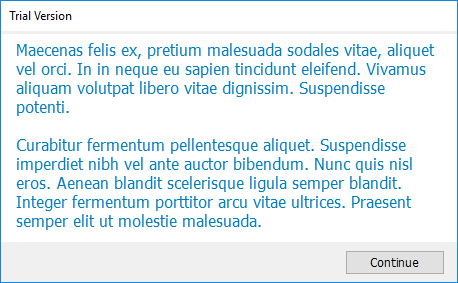
Display a welcome message or disclaimer to the user upon logon. Medium font size makes the text easy to read and the window is sized to just fit the contents. The contents are read from a text file on a file share which makes it possible to let another department take care of the text itself.
Take a break?
You can enable the feature that suggests the user to take a break in a non-intrusive way after using the computer continuously for a specified period of time.
Group Policies

AutoLogoff is centrally managed with group policy (although other methods are possible).
AutoLogoff is especially useful in shared computer environments like schools, hospitals and libraries. It adds a layer of security for users who forget to logout of Windows and makes sure computers are available for use. Supported environments include Microsoft Active Directory, Novell eDirectory and even stand alone workgroups.
Many companies hide the Windows ‘fast user switching’ feature because multiple inactive user sessions will slow down the computer eventually. With AutoLogoff it actually makes sense to use the fast user switching feature. You can combine the action "Disconnect" or "Disconnect & Standby" with a final "Logoff" action to make computers available for use, but also keep the inactive session available for a limited time should the last user return.
AutoLogoff has many configurable settings to support your preferences. E.g. it can be configured to ignore idle timeouts when a full screen Powerpoint presentation or video is played (local file or internet streams like YouTube) .
Why choose AutoLogoff?
- Logs out idle users; even if the desktop is locked.
- Optionally forcefully closes applications that do not quit at logoff
- It can first lock the desktop for a number of minutes before logging off
- Automatically empty the recycle bin, delete temporary files, the Windows Explorer thumbnail image cache and internet browser caches at logoff and shutdown
- Forcefully closes applications when a user initates logoff
- Displays a countdown warning message before logging off
- The time period when AutoLogoff is active is adjustable
- Optionally ignore the idle timeout when a fullscreen video is playing
- Central configuration with the Group Policy Management Console.
- Can be run directly from a network share without installation
- OR can be installed locally (a silent MSI setup is included)
- Native small and fast Windows executable; no additional software prerequisites
- Prevents users from using more than the specified number of pc’s at the same moment
- Saves cpu, ram and disk space resources on terminal server and virtual desktop infrastructures like Microsoft Remote Desktop Services, Citrix XenDesktop and VMware View (VDI)
AutoLogoff works on all supported desktop and server versions of Microsoft Windows. There is both a 32-bit and 64-bit version available.
Licensing
Licensing is based on the maximum number of simultaneous/concurrent users actively using a computer. This frequently equals the total number of computers where AutoLogoff is enabled. It is subscription based. An active subscription gives you usage rights, updates and e-mail support for 1 year. AutoLogoff is priced only $ 3.20 per license (€ 3.00) per year (with a minimum amount of 20 licenses).
We offer a substantial discount to educational institutions. Contact us by e-mail for discount details using your campus e-mail address.
Download Trial
QuickStart Manual
Please contact us via info@wizardsoft.nl should you have any questions or suggestions!
*Digital River GmbH (Share-it) and 2Checkout (Avangate) are our sellers and handle payment and invoicing.